变量声明
var
- 函数作用域
- 作用域提升
- 全局变量可以被挂载到window上
let
- 块级作用域
- 暂时性死区
const
- 常量,声明就需要初始化
- 通常用于声明数组和对象
注释
// 这是一个注释

/*
这是一个多行注释
 */
==和===
在js里面,判断变量是否相同通常使用===
==是值判断,不会去判断类型
===是值和类型一起判断
console.log(12 == "12") // true
console.log(12 === "12") // false
基本数据类型
八种基本数据类型
Number、String、Boolean、Null、undefined、object、symbol、bigInt
number
const a = 123
const a1 = Number(123)
console.log(a, typeof a)
console.log(a1, typeof a1)
const a2 = 0b110 //  6
console.log(a2)
const a3 = 0o11 // 9
console.log(a3)
// 0 1 2 3 4 5 6 7 8 9 a b c d e f
const a4 = 0xa1 // 10 * 16 + 1 = 161
console.log(a4)  // 最终打印都是十进制
保留小数 toFixed
const a5 = 3.14159265354
console.log(a5)
console.log(a5.toFixed(2)) // 3.14
console.log(a5.toFixed(0)) // 3
转整数 Number.parseInt()
console.log(Number.parseInt(3.14)) // 3
console.log(Number.parseInt("5")) // 5
console.log(Number.parseInt("5.256")) // 5
是否为整数Number.isInteger()
console.log(Number.isInteger(1)) // true
console.log(Number.isInteger(1.2)) // false
console.log(Number.isInteger("1.2")) // false
console.log(Number.isInteger("1")) // false
console.log(Number.isInteger(-3)) // true
取整
console.log(Math.round(3.5)) // 四舍五入 4
console.log(Math.round(3.4)) // 四舍五入 3
console.log(Math.ceil(1.0000001)) // 向上取整 2
console.log(Math.ceil(1.9)) // 向上取整 2
console.log(Math.floor(1.9)) // 向下取整 1
console.log(Math.floor(1.001)) // 向下取整 1
string
字符串
const s1 = "ffzd"
console.log(s1, typeof s1)
const s2 = String("枫枫")
console.log(s2, typeof s2)

console.log(s1[0]) // f
console.log(s1[2]) // z
indexOf
根据字符找编号
如果有多个字符匹配,返回最开始那个字符的编号
const s1 = "ffzd"
console.log(s1.indexOf('z')) // 2
console.log(s1.indexOf('1')) // -1
console.log(s1.indexOf('zd')) // 2
split
按照特点的分隔符切割字符串
const s3 = "枫枫,zhangsan,lisi"
const a = s3.split(",")
console.log(a[0], a[1])
slice
切片,返回值也是一个字符串
const s4 = "枫枫,zhangsan,lisi"
console.log(s4.slice(3, 11)) // 前闭后开 zhangsan
includes
包含,判断是否有子串包含
const s5 = "枫枫,zhangsan,lisi"
console.log(s5.includes("lisi")) // true
console.log(s5.indexOf("lisi") !== -1) // true
trim
去空格
const s6 = "   我的名字是枫枫   "
console.log(s6)
console.log(s6.trim())
boolean
- false、0、""、null、undefined、NaN 转为 布尔值 为 false
- 其他所有值 转为布尔值 为 true
const b1 = true
const b2 = false
console.log(Boolean(0))
console.log(Boolean('')) // 空字符串 false
console.log(Boolean(' ')) // 空格字符串 true
console.log(Boolean(null))
console.log(Boolean(undefined))
console.log(Boolean(false))
console.log(Boolean(NaN))
object
增删改查
const lyf = {
    "name": "lyf",
    "age": 18
}
const lyf1 = {
    name: "lyf",
    age: 18
}
console.log(lyf, typeof lyf)
console.log(lyf1, typeof lyf1)

console.log(lyf.name)
console.log(lyf["name"])

lyf.addr = "湖南"
lyf["xxx"] = "yyy"
console.log(lyf)

lyf.age = 19
console.log(lyf)

delete lyf.addr
delete  lyf["xxx"]
console.log(lyf)


const name = "fengfeng"
const obj = {
    [name]: ""
}
console.log(obj)
null
null表示一个空值或没有对象值。它是一个表示空对象指针的特殊关键字。
null的用法:
- 作为函数的参数,表示该函数的参数不是对象。
- 作为对象原型链的终点。
undefined
undefined表示一个未定义的值。它通常表示变量已声明但尚未赋值,或者属性不存在
总的来说,null 和 undefined 都表示空,主要区别在于 undefined 表示尚未初始化的变量的值,而 null 表示该变量有意缺少对象指向。
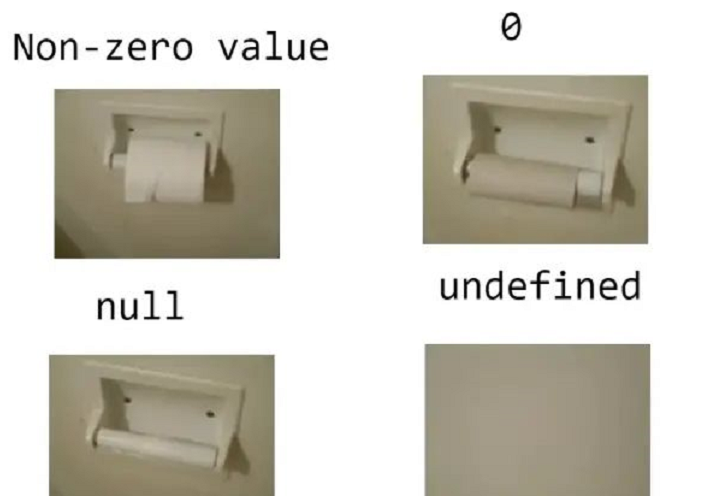
undefined的用法
- 变量被声明了,但没有赋值时,就等于undefined
- 调用函数时,应该提供的参数没有提供,该参数等于undefined
- 对象没有赋值的属性,该属性的值为undefined
- 函数没有返回值时,默认返回undefined
为啥要用null和undefined
https://www.ruanyifeng.com/blog/2014/03/undefined-vs-null.html
symbol
js对象属性名都是字符串,这容易造成属性名冲突的问题
const obj = {
    "name": "张三",
    "age": "14"
}

obj["name"] = "枫枫"
console.log(obj) // 这个时候,name属性对应的值已经被替换了

const name = Symbol("name")
const age = Symbol("age")
const symObj = {
    [name]: "张三",
    [age]: "14",
}
symObj["name"] = "枫枫" // 不会替换那个name
console.log(symObj)
console.log(symObj[name])
bigInt
可以安全地存储和操作大整数,即使这个数已经超出了Number类型能够表示的安全整数范围。
在 JavaScript 中,普通的数字(Number 类型)只能安全地表示 -9007199254740991(即 -(2^53 - 1))到 9007199254740991(即 2^53 - 1)之间的整数。超出这个范围的整数在表示时可能会失去精度。因此,BigInt解决了之前Number整数溢出的问题。
const b1 = BigInt(123)
console.log(typeof b1, b1)
console.log(b1 + BigInt(10086)) // 必须都是bigint才行
const b2 = 12345678910n
console.log(typeof b2, b2)