BOM(Browser Object Model):浏览器对象模型
- BOM的核心就是window对象
- window是浏览器内置的一个对象,里面包含着操作浏览器的方法
History 浏览器记录
history.back(上一页)
相当于浏览器上的返回按钮
history.forword(下一页)
相当于浏览器上的前进按钮
history.go(指定页)
go(n):n为正时向前n页,n为负时后退n页
<button onclick="forword()">前进</button>
<button onclick="back()">后退</button>
<button onclick="go(1)">前进1页</button>
<button onclick="go(-1)">后退1页</button>

<script>
    function forword(){
        history.forward()
    }
    function back(){
        history.back()
    }
    function go(n){
        history.go(n)
    }
</script>
Location 浏览器地址
以 http://do.com:3000/xx/yy?name=ff 为例
| 属性 | 值 | 说明 |
|---|---|---|
| location.portocol | http: | 页面使用的协议,通常是http:或https: |
| location.hostname | do.com | 服务器域名 |
| location.port | 3000 | 请求的端口号 |
| location.host | do.com:3000 | 服务器名及端口号 |
| location.origin | http://do.com:3000 | url的源地址,只读 |
| location.href | 完整的url地址 | 等价于window.location |
| location.pathname | /(这里指的是3000后面的/) |
url中的路径和文件名,不会返回hash和search后面的内容,只有当打开的页面是一个文件时才会生效 |
| location.search | ?name=ff | 查询参数 |
可以重新赋值
location.reload()
刷新当前页面
location.replace()
替换当前页面
- 不会保留当前页面的历史记录,因此用户无法通过浏览器的后退按钮返回到之前的页面。
对话框
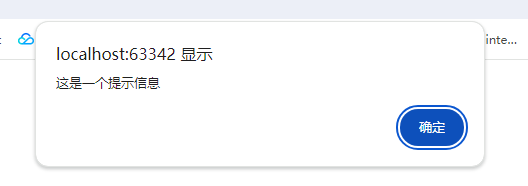
alert 提示框
alert("这是一个提示信息")
confirm 询问框
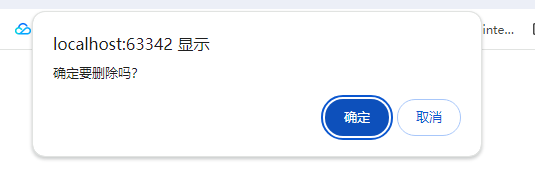
console.log(confirm("确定要删除吗?"))
可以获取到用户点击的确定和取消的操作,确定就是true,取消就是false
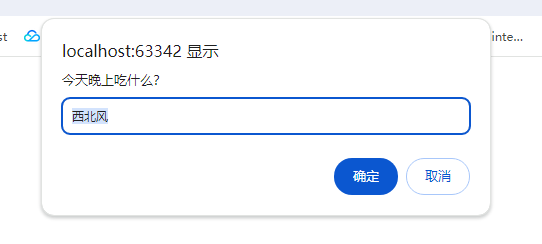
prompt 输入框
console.log(prompt("今天晚上吃什么?", "西北风"))
定时器
setTimeout
- 倒计时多少时间以后执行函数
- 语法:
setTimeout(要执行的函数,多少时间以后执行) - 单位是毫秒,返回值是当前这个定时器是页面中的第几个定时器
- 可以使用
clearTimeout关闭定时器
setInterval
- 每隔多少时间执行一次函数
- 语法:
setInterval(要执行的函数,间隔多少时间) - 只要不关闭,会一直执行
- 可以使用
clearInterval关闭定时器
防抖和节流
用户点击按钮的时候,点太快了点了两下,那么这个函数就会被执行两次
debounce、throttle
防抖
在事件被触发n秒后执行回调,如果在这n秒内事件又被触发,则重新计时
类似于回城,被打断就要重新开始(重新计时)
function debounce(fn, delay) {
    let timer = null;
    return function() {
        clearTimeout(timer);
        timer = setTimeout(() => {
            fn.apply(this, arguments);
        }, delay);
    }
}
节流
在规定的单位时间内,只能有一次触发事件的回调函数执行,如果在同一时间内被触发多次,只会生效一次
类似于技能CD,CD没好,你用不了技能
节流的逻辑要稍微复杂一点,首先事件触发之后是要立即执行的,后续再触发时间则要看看是不是在设定的时间阈值内,在的话就不执行,不在就立即执行
function throttle(fn, delay) {
    let timer = null;
    let startTime = Date.now();

    return function () {
        // 判断现在的时间
        const curTime = Date.now();
        // 节流时间-两个时间的时间戳
        const remaining = delay - (curTime - startTime);

        // 清除定时器
        clearTimeout(timer);

        // 已经超过时间差了,直接执行
        if (remaining <= 0) {
            fn.apply(this, arguments);
            startTime = Date.now();
        } else {
            // 还没到时间差,设置一个定时器去执行
            timer = setTimeout(() => {
                fn.apply(this, arguments);
                startTime = Date.now();
            }, remaining);
        }
    };
}
window界面属性
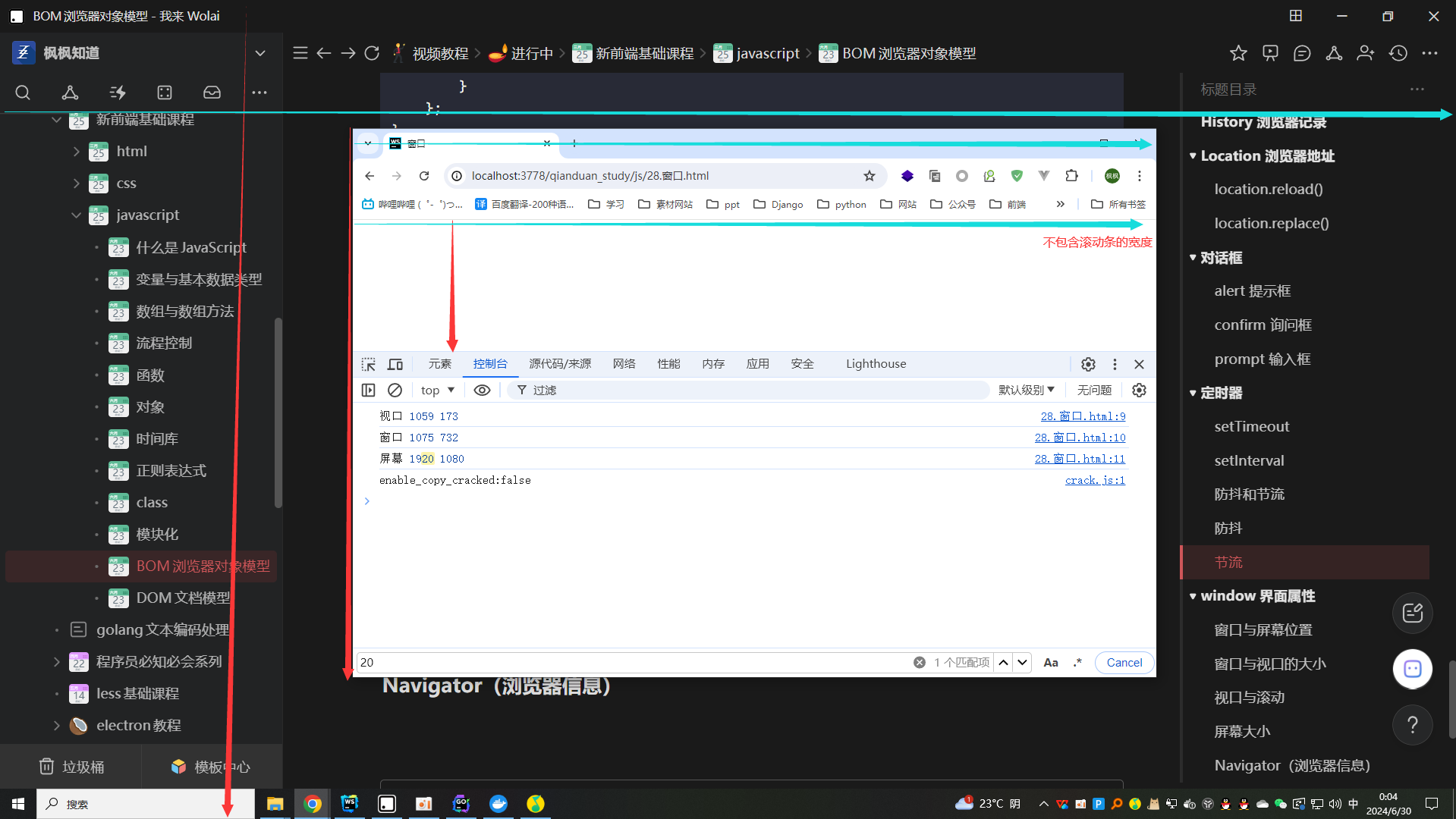
屏幕,窗口,视口
console.log("视口", window.innerWidth, window.innerHeight)
console.log("窗口", window.outerWidth, window.outerHeight)
console.log("屏幕", window.screen.width, window.screen.height)
滚动相关
文档向右或者向下滚动的距离
scrollX,scrollY
只针对body的滚动条才有效
定位:scrollTo(绝对)scrollBy(相对)
// 滚动到页面左上角
window.scrollTo(0,0)

// 滚动到页面左边100像素和顶部200像素的位置
window.scrollTo(100,200)

// 相对于当前视口向下滚动100像素
window.scrollBy(0,100)

// 相对于当前视口向右滚动40像素
window.scrollBy(40,0)
平滑滚动
window.scrollTo({top: 1200, behavior: "smooth"})
Navigator(浏览器信息)
| 属性 | 描述 |
|---|---|
| navigator.userAgent | 获取浏览器的整体信息 |
| navigator.appName | 获取浏览器名称 |
| navigator.appVersion | 获取浏览器的版本号 |
| navigator.platform | 获取当前计算机的操作系统 |